Ask us on the help form and we’ll reply by email.
Invite your team
Invite crew members, admins and subcontractors by email or with a link. How the invitation works, how long it lasts, and how to resend, edit or revoke one.
Applies to: Owners, Admins, on the web and the phone app. Last checked 2026-10-17.
Owners and admins invite people from Settings › Team & Subcontractors, on the web or the phone. Only the owner can invite an admin.
Invitations go by email or as a link you share yourself. FieldFlow doesn’t text invitations.
On the web
- Go to Settings › Team & Subcontractors.
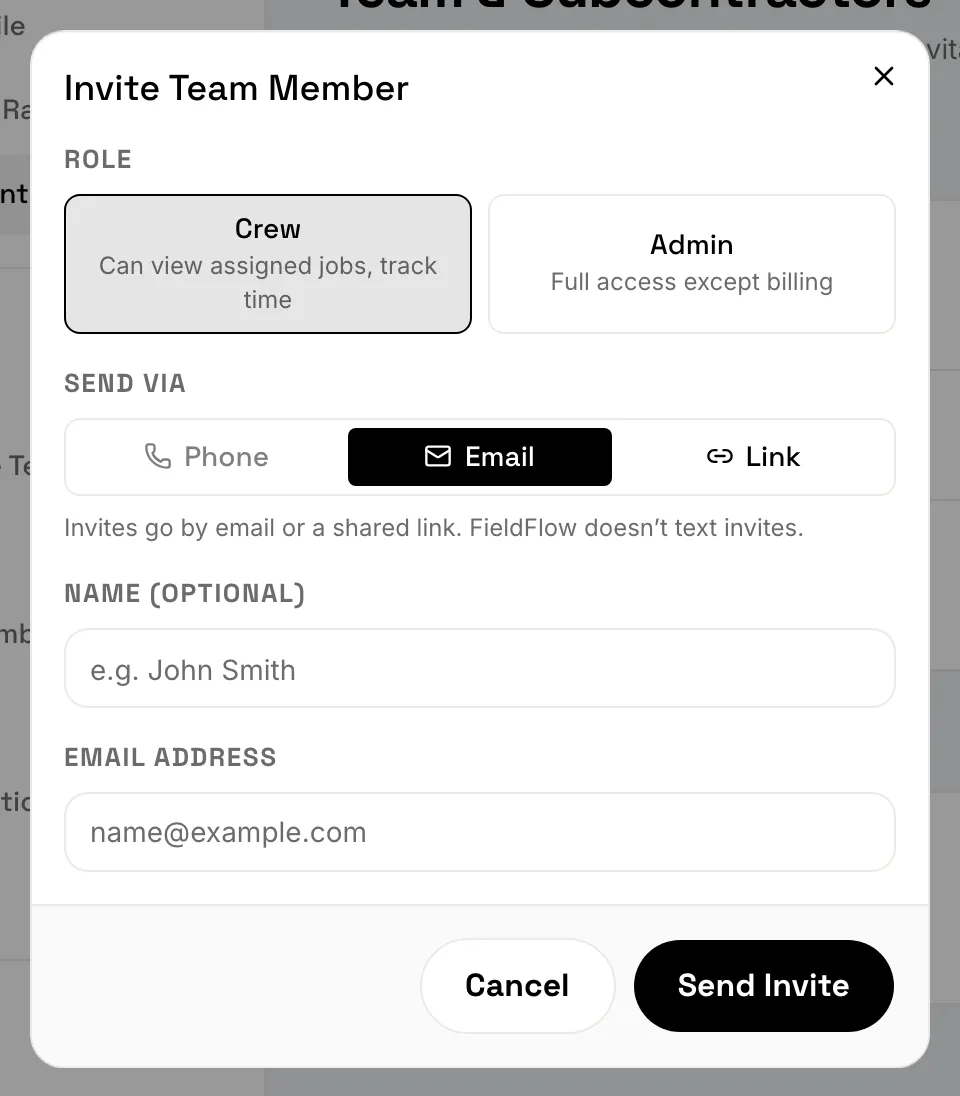
- Click Invite Team Member for crew or an admin, or Invite Subcontractor for a sub.
- For a team member, pick the role: Crew or Admin.
- Under Send via, pick Email or Link.
- Add their name if you like. For Email, enter their email address.
- Click Send Invite, or Generate Link to get a link to copy and send however you like.
On the phone
- Go to More › Settings › Team & Subcontractors.
- Tap Invite team member or Invite subcontractor.
- Fill in the name, pick the role, then choose Email or Link under Send via.
- Tap Send Invite, or Generate Link and then Share Link.
What the invited person does
They open the link in a web browser. Accepting an invitation happens on the web, not in the phone app.
- New to FieldFlow: they fill in their name, work email and a password, and click Create Account & Join. They can use Google or Apple instead.
- Already have a login: they sign in and join.
A login belongs to one business at a time. Someone whose login is already on another FieldFlow business needs to use a different email.
Once they’ve joined, crew members and subcontractors download the phone app and sign in there. That’s where their work is. Admins can use the web or the phone.
Before they accept
The person shows on your team list right away, marked Invited. You can put them on visits before they accept.
An invitation lasts 7 days. After that the row says Expired, and the person stays on your list until you resend or revoke it.
- Resend sends a new link.
- Edit Invitation changes a pending invitation’s details.
- Revoke stops the link working and takes them off the team.
Each invitation link works once.
Still stuck? Contact us.