Ask us on the help form and we’ll reply by email.
Assign crew to jobs and visits
Each visit has its own crew. Set a job's default crew for new visits, change who's on one visit, and see how crew members and subcontractors find out.
Applies to: Owners, Admins, on the web and the phone app. Last checked 2026-10-17.
In FieldFlow, crew belongs to each visit. A job also has a default crew: the people every new visit starts with. You can change who’s on any one visit without changing the rest. Owners and admins assign crew. These options show once you have a team.
The crew you pick when you create a job becomes its default crew and goes on every visit you create with the job.
On the web
Set the crew on a new job. Use Assign to under Job details on the New Job form.
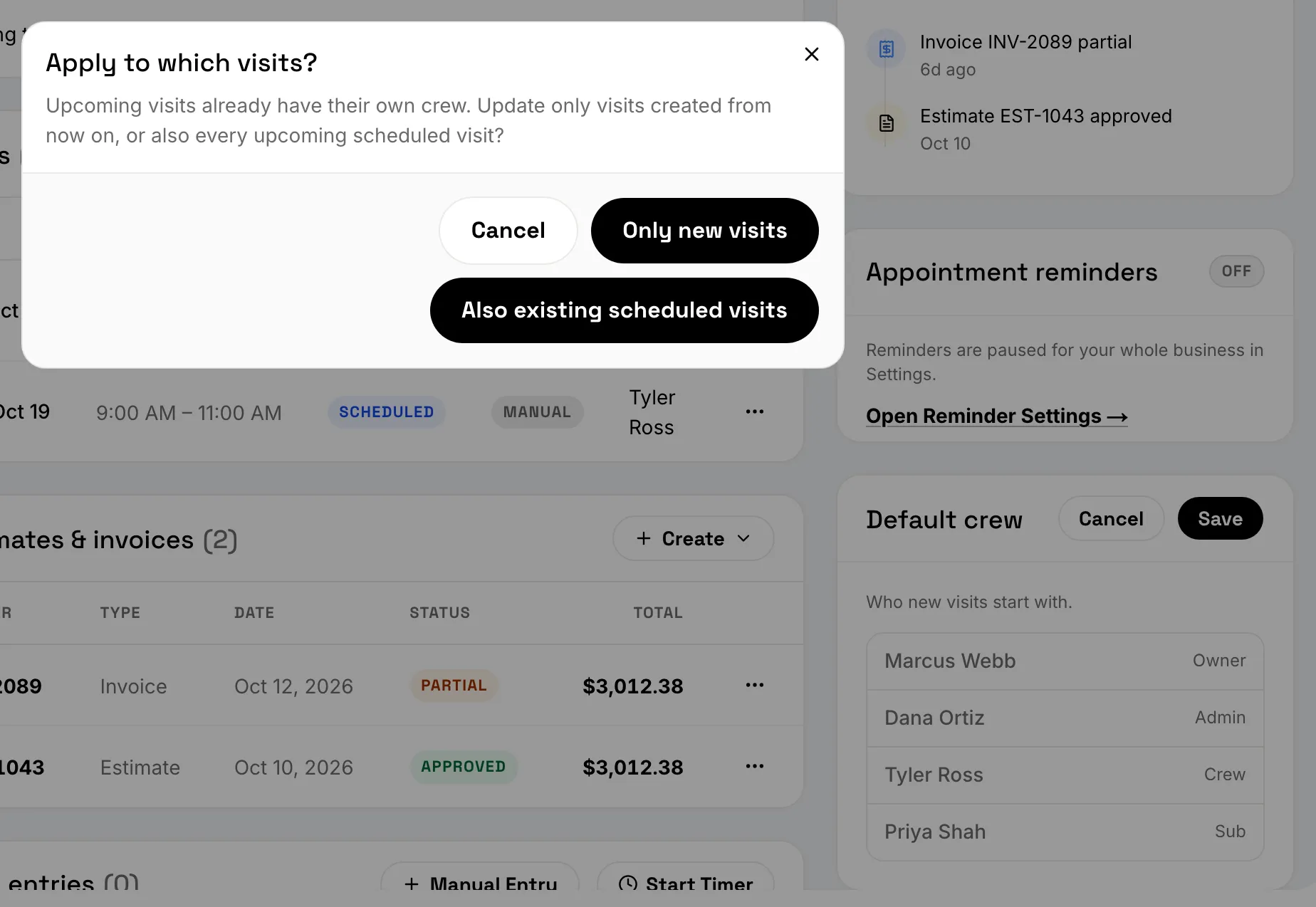
Change the default crew. Open the job and choose Edit on the Default crew card. If the job already has upcoming visits, FieldFlow asks: Apply to which visits? Choose Only new visits, or Also existing scheduled visits.
Change one visit’s crew. On the Visits card, open the visit’s menu and choose Edit Visit, then change the crew. The change applies to that visit only.
On the phone
Set the crew on a new job. On the summary step, tap Assigned to before you tap Create Job.
Change the default crew. Open the job, tap the More menu, and choose Manage Crew & Subs. Pick the people, then tap Save Crew. If the job has upcoming visits, choose Only new visits or Also existing scheduled visits.
Change one visit’s crew. In the Visits section, tap the crew line under the visit (it says Unassigned when no one is on it). Pick the people, then tap Save Crew.
Changing the crew needs a connection.
Only new visits, or also existing ones
- Only new visits changes the default crew. Visits already on the calendar keep their crew.
- Also existing scheduled visits also puts the new crew on every upcoming scheduled visit, including ones you’d given their own crew.
How people find out
- Crew members see the visit in their crew app. They don’t get a separate message.
- Subcontractors get an email the first time you put them on a job, and a reminder email the day before each visit. When you add a subcontractor on the phone, you can add a note for them.
The crew app lists only the visits each person is on.
Still stuck? Contact us.