Ask us on the help form and we’ll reply by email.
Delete your account
How to delete your FieldFlow account. For the owner it closes the business, with 30 days to restore it before everything is deleted. A team member leaves the business and deletes their own login.
Applies to: Owners, Admins, Crew, Subcontractors, on the web and the phone app. Last checked 2026-10-17.
What deleting does depends on your role. The owner deleting their account deletes the whole business. Anyone else deleting theirs leaves the business.
Thinking of a break rather than leaving for good? The owner can pause the account instead: you pay nothing and nothing is deleted.
If you’re the owner
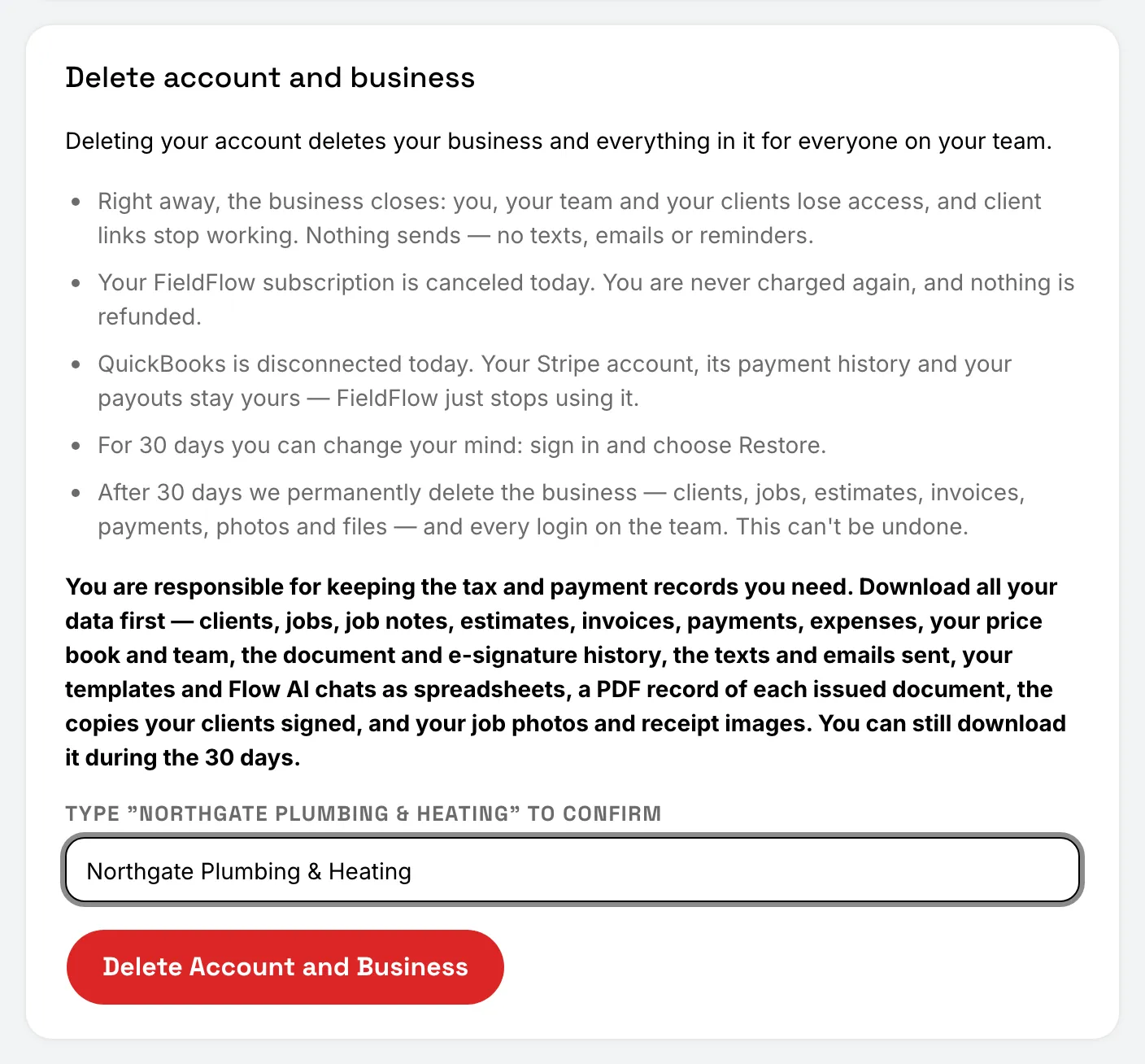
Deleting your account deletes your business and everything in it, for everyone on your team.
Before you start, download all your data. Keeping the tax and payment records you need is up to you.
On the web: delete as the owner
- Open Settings, then Account, and read what happens.
- Type your business name exactly as shown.
- Choose Delete Account and Business.
On the phone: delete as the owner
- Tap More, then Settings, then Account, and read what happens.
- Type your business name exactly as shown.
- Tap Delete Account and Business.
What happens when the owner deletes
- Right away, the business closes. You, your team and your clients lose access, and client links stop working. Nothing more is sent to clients.
- The same day, your FieldFlow subscription is canceled. You’re never charged again, and nothing is refunded. QuickBooks is disconnected. Your Stripe account, its payment history and your payouts stay yours.
- For 30 days you can change your mind. Sign in and choose Restore My Account. Everything comes back as it was, except the subscription (subscribe again) and QuickBooks (connect again). You can still download your data during this time.
- 3 days before the end, you get a reminder email.
- After 30 days, the business is permanently deleted: clients, jobs, estimates, invoices, payments, photos and files, and every login on the team. This can’t be undone.
Your team members get an email saying the business is closing.
If you’re an admin, crew member or subcontractor
Deleting your account removes you from the business and deletes your login and your personal details. The jobs, notes and hours you logged stay with the business, under your name.
You’re signed out everywhere and can’t sign back in. This can’t be undone.
On the phone: leave and delete your account
- Crew members and subcontractors: open the Settings tab and, under Account, tap Leave and delete my account.
- Admins: tap More, then Settings, then Account.
Then tap Leave and Delete My Account, and tap Delete My Account to confirm.
On the web: leave and delete your account
Admins can also do this on the web. Open Settings, then Account, choose Leave and Delete My Account, and confirm.
If you can’t sign in
Go to fieldflowusa.com/delete-account. It explains how to ask us by email to delete your account.
Still stuck? Contact us.