Ask us on the help form and we’ll reply by email.
Pause your account
Not using FieldFlow for a while? Pause instead of canceling. You pay nothing, your data stays, the account turns read-only, and you can subscribe again whenever you're ready.
Applies to: Owners, on the web and the phone app. Last checked 2026-10-17.
Pausing keeps everything and costs nothing. It’s for a slow season, a break, or any time you’re not using FieldFlow but want to come back to it. Only the owner can pause the account.
What pausing does
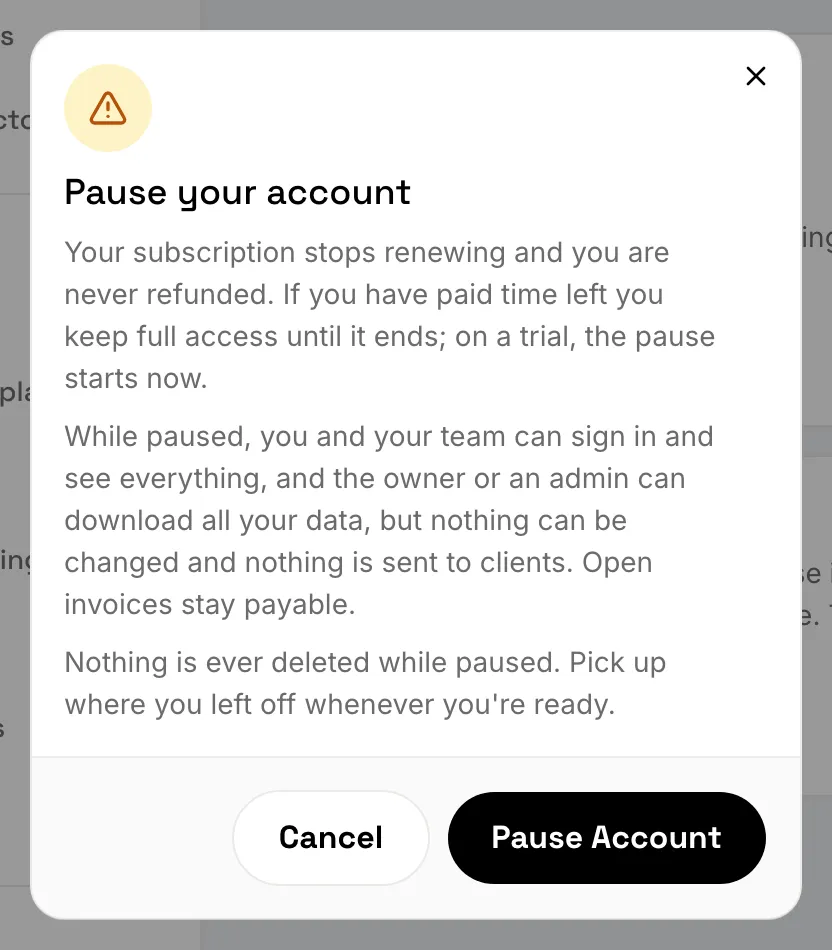
- Your subscription stops renewing. Nothing is refunded.
- If you have paid time left, you keep full access until it ends, then the account pauses. During a trial, the pause starts right away.
- While paused, you and your team can sign in and see everything, but nothing can be changed and nothing is sent to clients.
- Clients can still pay invoices that are already open.
- The owner or an admin can download all your data.
- Nothing is ever deleted while the account is paused.
Once a year, the owner gets an email reminding them the account is still there.
On the web
- Open Settings, then Subscription. (You’ll also find it in Settings › Account, under Pause instead.)
- Choose Pause Account.
- Read what happens, then choose Pause Account again to confirm.
On the phone
- Tap More, then Settings.
- Tap Subscription, or Account.
- Tap Pause Account, then confirm with Pause Account.
If you have paid time left
Settings › Subscription shows “Pauses” with the date the account pauses. To keep your subscription instead, open Manage Billing in Settings › Subscription on the web and renew it.
Come back
Subscribe again on the web: open Settings, then Subscription, and choose Subscribe. While paused, the banner at the top of the web app has a Subscribe button too. Everything is as you left it.
The phone app can’t subscribe. The rest of your team sees “This account is paused — ask your account owner to resume it.”
Still stuck? Contact us.