Ask us on the help form and we’ll reply by email.
Get text alerts on your phone
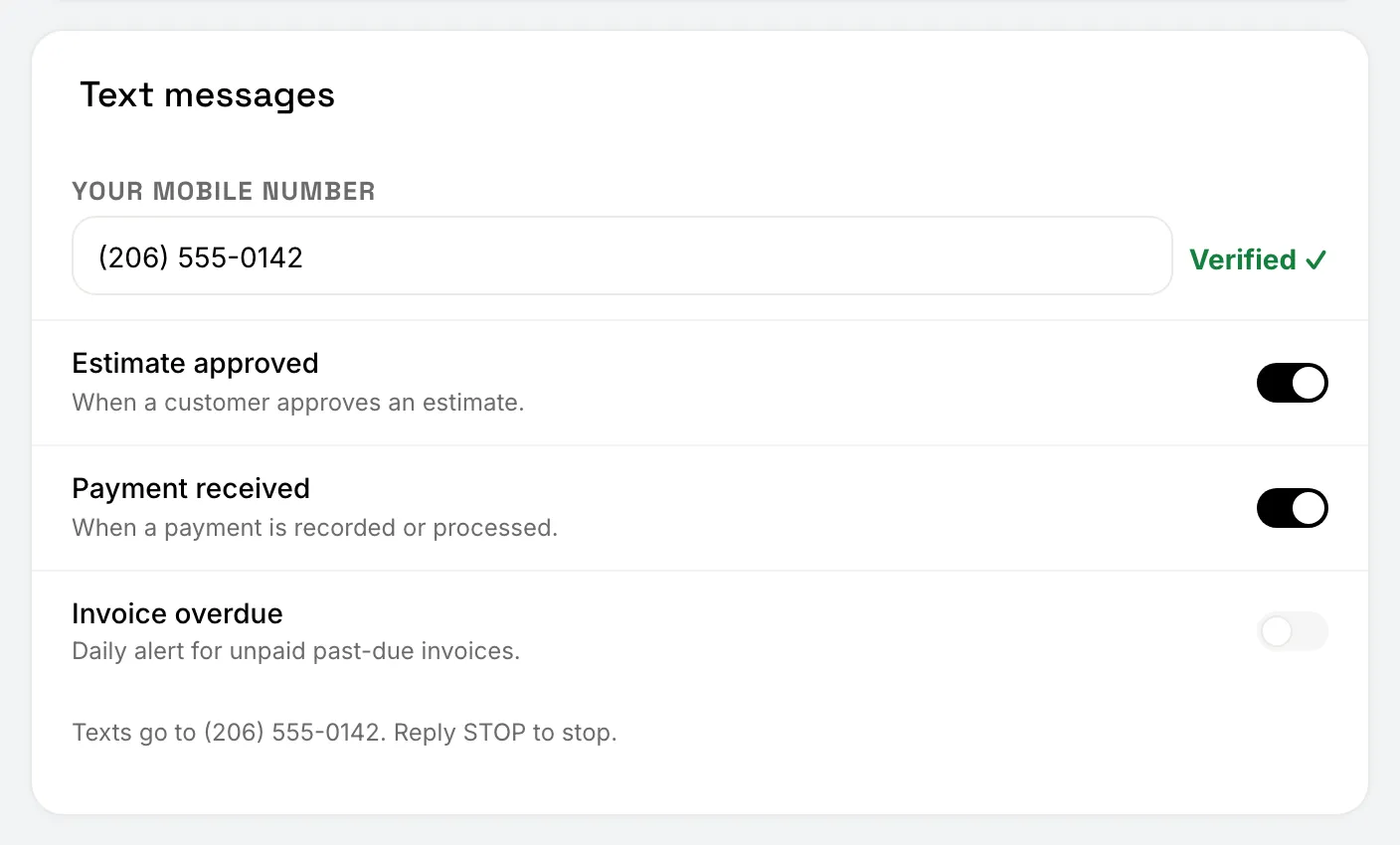
Owners and admins can get a text when an estimate is approved, when a payment comes in, and once a day about overdue invoices. Verify your US mobile number, then switch on the alerts you want.
Applies to: Owners, Admins, on the web and the phone app. Last checked 2026-10-17.
FieldFlow Alerts sends short texts to you, the owner or an admin, about your own business. They’re for you only: crew members, subcontractors and clients never get them.
What you can get
- Estimate approved: when a client approves an estimate.
- Payment received: when a payment is recorded or processed.
- Invoice overdue: one text a day about unpaid past-due invoices.
Each alert is sent once, with a link to the estimate or invoice where there’s room. You get at most 20 alert texts a day.
Push notifications for the same events are switched on separately, in the Push notifications section of the same page.
Set it up
Alerts go only to a US mobile number you’ve verified.
On the web: set up text alerts
- Open Settings, then Notifications, and find Text messages.
- Under Your mobile number, enter your mobile number and choose Send Code.
- Enter the 6-digit code from the text and choose Verify.
- Switch on the alerts you want. The first time, FieldFlow shows what you’re signing up for. Choose Turn On Texts.
On the phone: set up text alerts
- Tap More, then Settings, then Notifications, and find Text Messages.
- Under Your mobile number, enter your mobile number and tap Send Code.
- Enter the 6-digit code from the text and tap Verify.
- Switch on the alerts you want. The first time, FieldFlow shows what you’re signing up for. Tap Turn On Texts.
Before your number is verified
Until your number is verified, the switches can’t be turned on, and the page says “Verify your mobile number to get texts.”
The code expires after 10 minutes. If it doesn’t arrive, wait a moment and send a new one.
If you change your mobile number later, verify the new one before alerts go to it.
Stop the texts
Turn off a switch to stop that alert. To stop every alert at once, reply STOP to any of the texts. Reply START to get them again.
Replying STOP stops FieldFlow Alerts only. It doesn’t change anything about texts you send your clients from your own phone.
Msg & data rates may apply. Reply HELP for help.
When alerts don’t come
- The account is read-only (a trial or subscription ended, or it’s paused). No alerts are sent until it’s subscribed again.
- You replied STOP. Settings says so under the switches.
- You’ve had 20 alert texts today. They start again tomorrow.
Every alert text and code also shows in Settings › Message Log, with a reason when one wasn’t sent.
Still stuck? Contact us.