Ask us on the help form and we’ll reply by email.
Duplicate clients
How FieldFlow spots a client you may already have, what your choices are when it asks, and how to merge two client records into one.
Applies to: Owners, Admins, on the web and the phone app. Last checked 2026-10-17.
FieldFlow treats two clients as possible duplicates when they share a phone number or an email. It warns you, but it never stops you from saving.
When you add a client
If the new client’s phone number or email matches a client you already have, you see Possible Duplicate. You can:
- Use Existing Client (or Open Existing Client): go with the client you already have. Nothing new is created.
- Create Anyway: create the new client as well.
- Go back to the form (Back to Form on the web, Cancel on the phone).
A client added on the phone with no signal skips this check. If that makes a duplicate, merge the two later.
When you edit a client
If you change a client’s phone number or email to one another client already has, you see Possible Duplicate with that client’s name. Choose Save Anyway to keep your change, or open the other client instead.
Merge two clients
Owners and admins can merge two records of the same client into one. The jobs, estimates, invoices and addresses on the duplicate move to the client you keep, and the duplicate is deleted. A merge can’t be undone.
On the web
- Open one of the two clients.
- Open the … (More actions) menu and choose Merge with Another Client.
- Search for the duplicate and pick it.
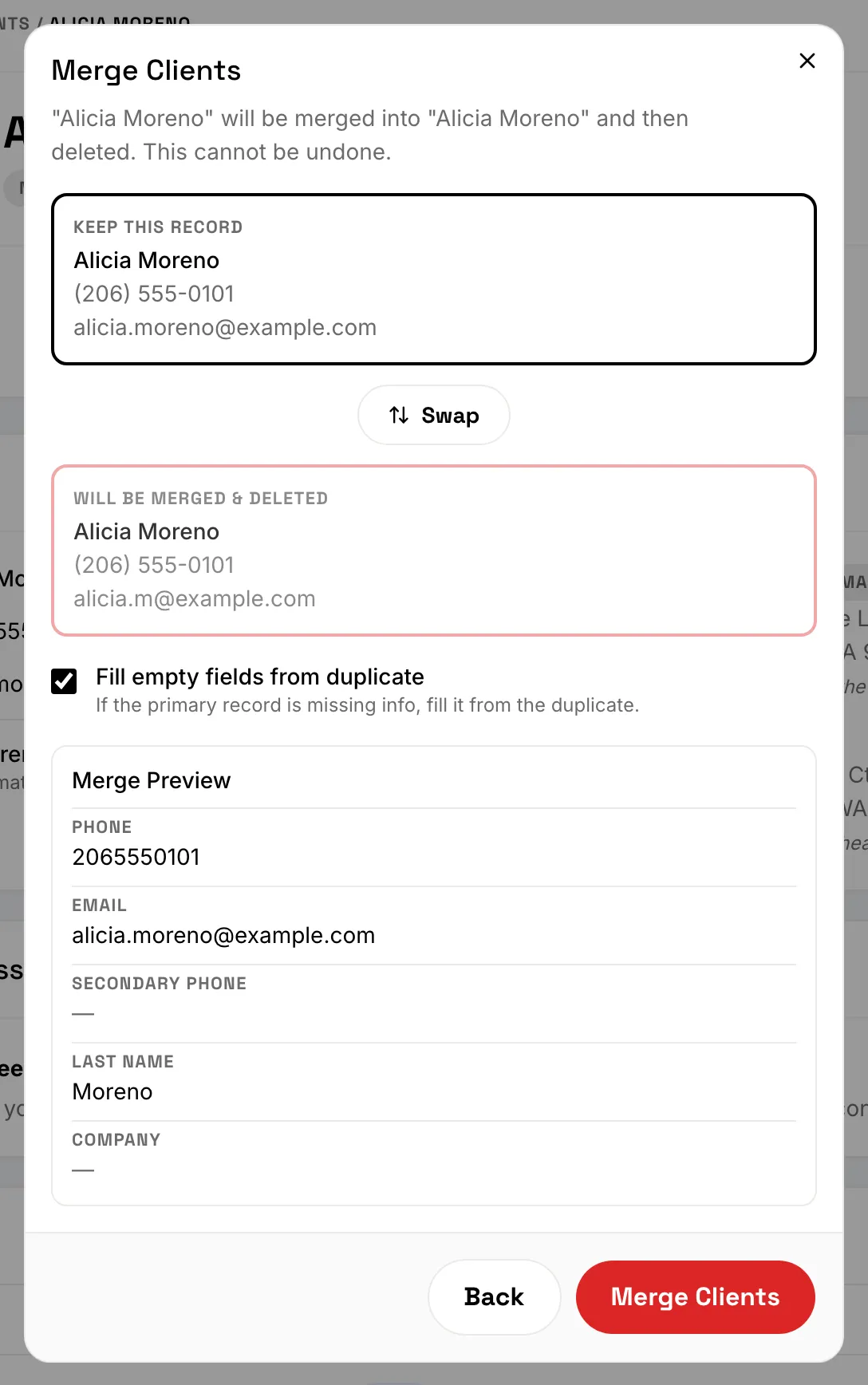
- Check which record you keep. Use Swap to keep the other one.
- Leave Fill empty fields from duplicate on to copy over anything the kept record is missing, such as a second phone number.
- Check the Merge Preview and the records to reassign, then choose Merge Clients.
On the phone
- Open one of the two clients.
- Open the … (More actions) menu and choose Merge with Another Client.
- Pick the duplicate, check which record you keep (Swap changes it), then tap Merge Clients.
Merging needs a connection.
Still stuck? Contact us.