Ask us on the help form and we’ll reply by email.
Record a payment
Record cash, a check, Zelle, Venmo or a card you took yourself against an invoice, in full or in part, and see what you don't need to record.
Applies to: Owners, Admins, on the web and the phone app. Last checked 2026-10-17.
When a client pays you outside FieldFlow, record the payment on the invoice so its balance stays right. Owners and admins can record payments.
Steps
- Open the invoice. It needs to be issued and still owe money.
- Choose Record Payment. Once the invoice has been sent, it’s the main button at the top of the invoice. Before that the main button is Send Invoice: on the web, use Record Payment in the Payments card instead. On the phone, send the invoice or mark it as sent first (… (More actions), then Mark as Sent), and Record Payment becomes the main button.
- Enter the Amount. It starts at the balance due. You can record less, for example a first check.
- Pick the Method: Cash, Check, Zelle, Venmo, Card or Other.
- Check the Payment Date.
- Add a Reference # (optional), such as a check number.
- Choose Record Payment.
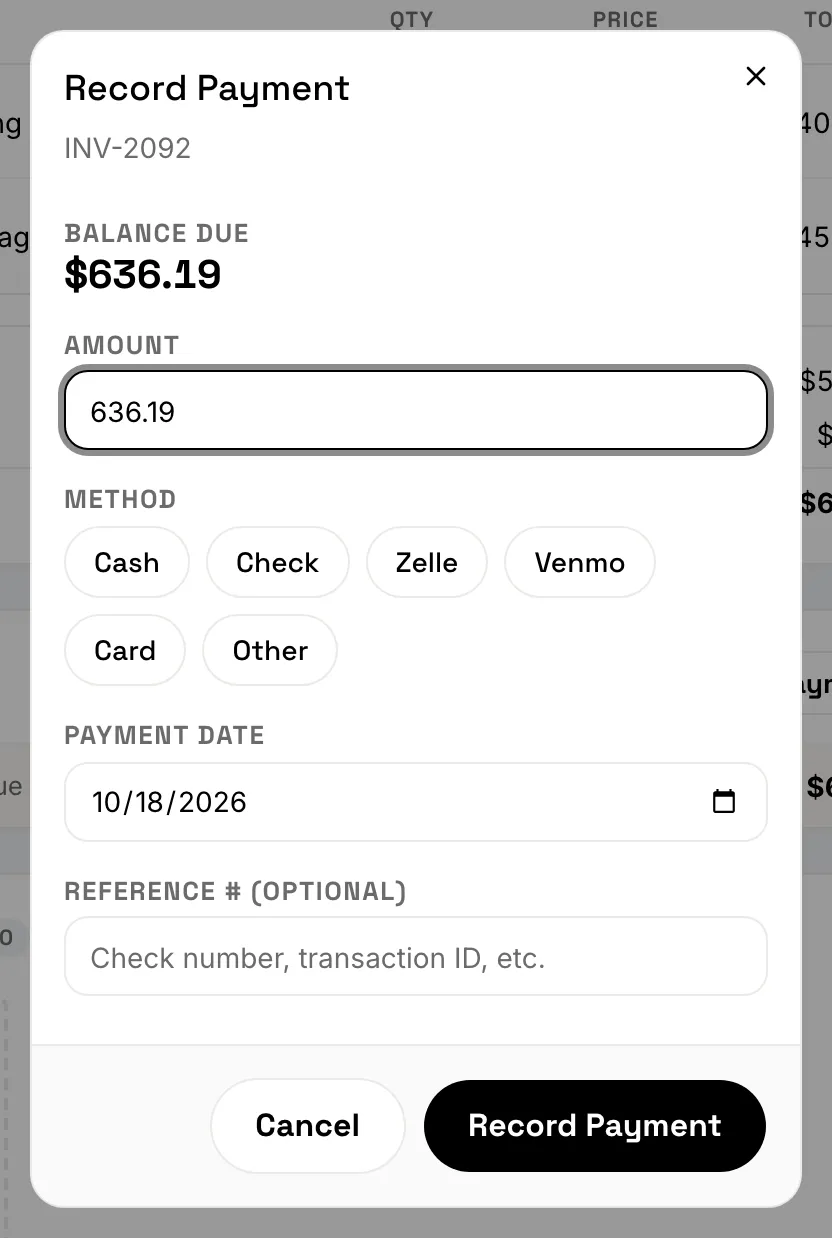
A payment can’t be more than the balance due. If you recorded part of the balance, the invoice shows Partial and the rest stays due. Once nothing is left, it shows Paid.
Pick Card only for a card you ran on your own terminal.
What you don’t need to record
- Online payments. When a client pays through the invoice page, the payment is added for you. See How clients pay online.
- A bank transfer that’s still processing. If the invoice shows a Payment processing note, the client already paid by bank transfer. Wait for it to clear instead of recording the same money again.
- Payments your crew collected in the field. They’re recorded on the invoice when the crew member collects them.
If you got it wrong
A recorded payment can’t be deleted. If you gave money back to the client, record it as a refund (see Refunds and credit notes).
Recording payments needs a connection on the phone, and an active subscription. While your account is read-only, you can’t record new payments.
Still stuck? Contact us.